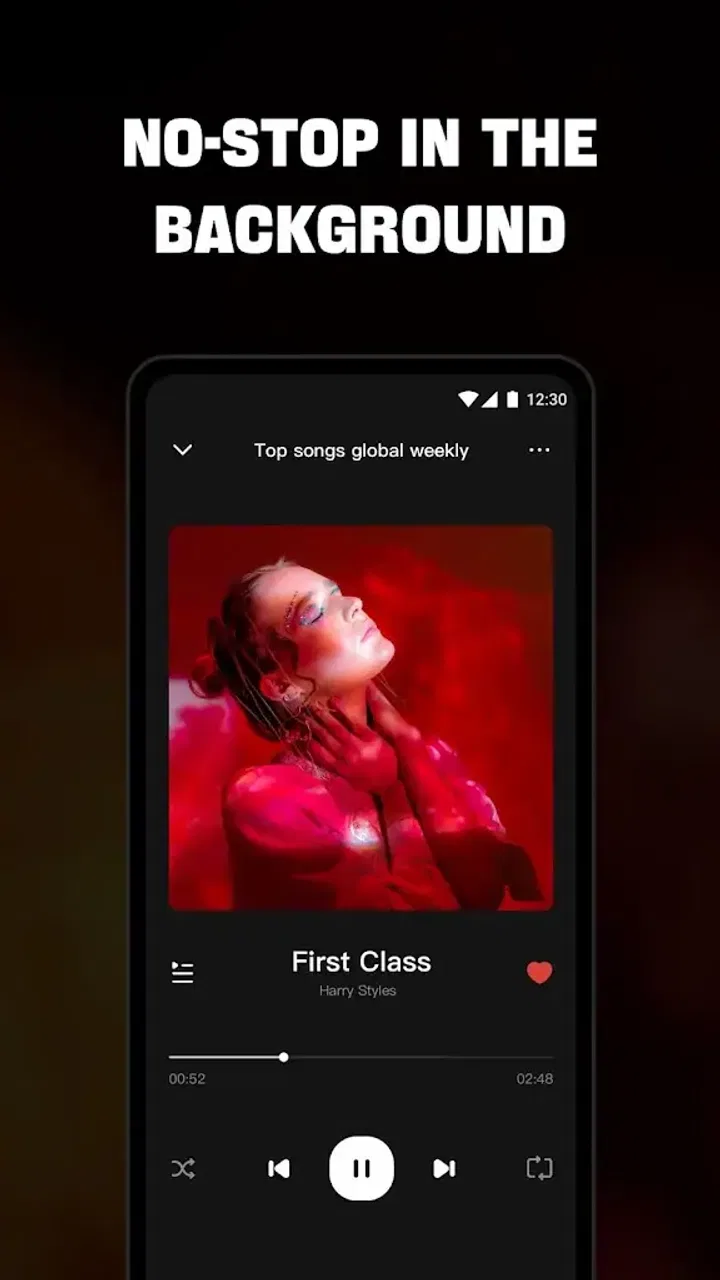
Offline Music Player - Mixtube
- 4.4
- Rating
- 10.00M
- Installs
- Free
- Price

 Analysis by App-foxy
I spent time with Offline Music Player - Mixtube as a music and audio app, paying particular attention to how comfortably it works in different everyday situations and for people with different needs. Its main appeal is straightforward: it is built around listening to music without relying on Wi-Fi, with MP3 playback, radio-oriented tools, a tuner, and music-downloading functions gathered in one place. That combination makes it more practical than a basic local player for some listeners, although it also means the experience can feel busier than a simple “open and play” app.
Developed by Mixtube Music player, the app is free to install and is rated for Everyone. It has reached over 10 million installs and holds a 4.4 average from roughly 99 thousand ratings, which suggests that the offline-listening idea has broad appeal. I would not treat those figures as a guarantee that it will suit every listener, though. The important question is whether its mix of local playback, radio discovery, and downloading fits the way you actually manage music.
How Mixtube feels to use across different abilities and situations
I judge an audio app not only by how quickly it becomes interesting, but by whether its controls and listening options still feel worthwhile once the first-week novelty wears off. Here, I’ll focus on the practical choices that can make Mixtube easier—or harder—to use across different abilities and everyday situations. That leads naturally to the question of how a prepared listening routine holds up over time.
You May Also Like

 Blood Strike: 2.5 Anniversary
Blood Strike’s Loadouts Turn Every Drop Into a Tactical Gamble
A close look at Blood Strike’s custom loadouts: how fast access to signature weapons reshapes its battle royale rhythm, rewards preparation, and narrows the gap between fights.

 Pandora - Music & Podcasts
Pandora’s Music Is Easy to Start, but Harder to Recover
Pandora’s strength is its low-effort path from a seed to a station. Its weak spot is how much confidence it asks you to place in connection, setup, and quiet recovery.

 8 Ball Pool
 Is Built on Rivalries, Rematches, and Routine
A close look at the rivalries, rematches, shared routines, and unanswered safety questions that turn a quick pool match into a persistent mobile community.

 Samsung Music
’s Quiet Strength Is Playing What You Already Own
Its reach comes less from spectacle than from dependable access to a personal library. That simplicity is both the app’s strongest retention engine and its ceiling.

 AccuWeather: Weather Radar
AccuWeather Review: A Quick, Clear Forecast for Everyday Decisions
For everyday plans, the best forecast is the one you can understand quickly. AccuWeather makes rain timing, radar, and local conditions easy to act on, with a few trade-offs.

 Hill Climb Racing
Why Hill Climb Racing Still Turns Crashes Into One More Run
A tiny car, a bumpy hill and one more upgrade: Hill Climb Racing keeps resurfacing because its simple chaos makes every near-miss feel personal.
More From Our News Desk



Readable navigation and the first listening session
The strongest part of the experience is the basic purpose. I can approach it with a clear task in mind: find music, play something already available on the device, explore radio-style content, or prepare listening for a place with unreliable connectivity. That is easier to understand than an app that hides offline playback behind several unrelated menus. The current version is 4.7.0, and in my use the overall concept feels mature enough for ordinary listening rather than like a rough utility.
For someone who prefers a simple routine, I recommend starting with one narrow workflow instead of exploring every option at once. First locate the music already stored on the phone, then test playback and controls before moving on to radio or downloading. This reduces the mental load created by having several music sources in one app. It is a small but useful approach for older users, people who do not enjoy changing settings, or anyone who becomes frustrated when an audio app presents too many paths immediately.
The app’s wording is generally easy to connect with its purpose because terms such as offline music, MP3, radio, and tuner describe familiar activities. That helps a first-time listener predict what a section is likely to do. Still, the combination of these functions can make navigation less instantly obvious than it would be in a dedicated player containing only files stored on the phone. If your priority is the fewest possible choices, a lightweight local music player may feel calmer.
I also found that the app makes more sense when I separate discovery from preparation. Radio and downloader tools are useful when I am deciding what to listen to, while local playback is what I want after the music is ready. Treating those as two stages prevents repeated searching. It also makes the app easier to explain to somebody else: use the discovery tools when connected, then rely on saved MP3 content when the connection is poor or unavailable.
The free price lowers the barrier to trying it, but the app includes in-app purchases ranging from $2.99 to $19.99 per item. That matters for people who need a completely predictable spending experience. I would install it without paying first, explore the core listening routine, and only consider an optional purchase after deciding whether the app genuinely improves daily use. A free download is convenient, but it should not be confused with every possible part of the experience being cost-free.
Motor comfort, sensory load, and control habits
Music players are often used with one hand, while walking, cooking, commuting, or carrying something else. That makes the spacing and predictability of controls more important than it may seem. My practical advice is to set up the music you expect to use before leaving home, rather than trying to search, download, and organize tracks while moving. This is especially helpful for people with limited dexterity, tremors, or difficulty making precise taps.
A useful habit is to keep the listening sequence short: choose a track or station, start playback, and leave the phone alone. Every extra interaction creates another opportunity for an accidental tap or a missed target. Mixtube works best in this prepared mode. It is less comfortable when I treat it like a full music-management workstation and repeatedly switch between discovery, downloading, and playback while distracted.
For sensory-sensitive listeners, the app’s range of audio sources can be both helpful and demanding. Having offline tracks available means I can avoid the unpredictability of a live stream when I need a familiar sound environment. On the other hand, radio discovery introduces changing content, which may not suit someone who wants complete control over every song. I would use saved music for predictable listening and reserve radio for moments when variety is welcome.
People who rely on visual information should also think about how much of the task can be completed by routine rather than constant reading. Once I know where my preferred music is located, repeating the same path is easier than scanning every available option. A person with low vision may prefer testing the app with the phone’s own display and interaction settings before committing to it, because comfort depends heavily on the device and system configuration as well as the app itself. I would not assume that every screen or control will feel equally clear for every user.
The same caution applies to hearing. An offline player is valuable for someone who wants to avoid interruptions, but the app alone does not determine whether audio is comfortable or intelligible. Headphones, the phone speaker, the recording quality of an MP3, and the surrounding environment all make a difference. I found the offline concept more useful than any promise of universal listening comfort: it gives me control over when and where content plays, but I still need to choose suitable files and volume levels.
Situational access when connectivity is unreliable
The clearest everyday use case is a commute through areas with weak reception. Before leaving, I can prepare music and then listen without treating a stable connection as a requirement. That is also useful during travel, in buildings where signals are inconsistent, or in places where I want to reduce dependence on mobile data. The value is not just convenience; it removes one source of uncertainty from the listening routine.
For example, I would use the app before a long appointment or journey by finding a few familiar MP3 tracks and checking that they play while offline. That final check is important. It turns the app from something I hope will work into something I have actually prepared. I would not wait until the train, waiting room, or remote location to discover that a desired song still depends on an online step.
The radio side is better suited to connected moments when I want discovery rather than certainty. It can make the app feel more lively than a folder-based player, especially when I do not already have a large personal library. The trade-off is that radio-style listening is less predictable. If I need a specific song, a quiet background, or a fixed sequence, prepared local music is the safer choice.
The downloader function also changes how I think about the app. It may be convenient to gather music in the same place where I listen, but downloading introduces an extra decision: what source and method am I using, and will the result be available in the way I expect later? I would keep the process deliberate, verify that a track appears in the usable offline library, and avoid assuming that discovering a song automatically means it is ready for every situation.
This workflow can support people who have limited data, inconsistent internet access, or a strong preference for planning ahead. It is less compelling for someone who already pays for a streaming service with a well-organized offline mode. In that case, Mixtube’s advantage is not necessarily a larger catalog or smoother subscription management; it is the combination of local MP3 playback and additional radio-oriented tools in a free app.
Remaining barriers and where another option may be better
The biggest barrier is the difference between a focused player and a multi-purpose music app. If I only want to open a folder and press play, radio, tuning, and downloading can feel like extra surface area. More functions can mean more decisions, and more decisions are not automatically more accessible. Someone who becomes overwhelmed by busy interfaces may be happier with the phone’s built-in audio player or a dedicated local-library app.
There is also a preparation burden. Offline listening works best when I have already organized the content and tested it. That is manageable for a person who enjoys controlling a music collection, but it may be tiring for someone who expects an app to handle everything automatically. A mainstream streaming service may be easier for instant access to a broad catalog, especially when its account-based library and offline controls are already familiar.
The presence of paid items is another point to consider. I would be cautious about recommending the app to a child or to anyone who needs strict control over accidental purchases without first reviewing the device’s purchase protections. The Everyone rating describes the content age category, not the fact that every user will find the purchasing flow equally comfortable or suitable.
People who need highly specialized accessibility behavior should test the app directly rather than relying on its category or popularity. I would check text readability, focus movement, control predictability, and whether the phone’s own accessibility settings make the important actions comfortable. Those checks are particularly important for screen-reader users, people with low vision, and listeners who cannot easily perform repeated small taps. The app’s purpose is inclusive in a practical sense because offline audio can remove connectivity barriers, but that is not the same as guaranteeing an ideal interface for every ability.
Another limitation is that the app’s usefulness depends on the music you can legitimately access and prepare. It is not a magic replacement for every music service. If your listening depends on synchronized playlists, advanced library management, or a particular subscription catalog, a more specialized alternative may serve you better. Mixtube is most convincing when the goal is flexible offline playback rather than a complete ecosystem for every kind of listener.
My inclusive verdict after using the main workflows
I see Mixtube as a practical choice for people who want music available beyond the reach of a reliable connection and who appreciate having radio discovery and MP3 playback together. Its best accessibility benefit is situational: preparation can make listening more dependable for commuters, travelers, people with limited data, and anyone who prefers a familiar audio routine. I especially like the idea of preparing a small set of tracks, testing them once, and then reducing the need for interaction later.
At the same time, I would not recommend it automatically to someone seeking the simplest possible player. The additional functions can create navigation and decision-making friction, and the free installation does not remove the need to think about optional in-app purchases. Users with specific motor, visual, or sensory requirements should spend time checking the actual controls on their own device. That is a sensible test for any app, and it is particularly relevant here because the experience combines several music tasks.
Mixtube is available for Android devices running version 7.0 or later, so compatibility is reasonably broad for supported Android phones and tablets. I would install it when offline MP3 listening is the central need, especially if I also want a radio-style way to discover music. I would skip it in favor of a simpler local player when minimal navigation matters most, or choose a full streaming alternative when catalog depth and polished library synchronization are more important than flexibility with local files.
My final impression is positive but specific: the app is strongest as a prepared, offline-first listening tool, not as a universal answer to every music problem. If you plan your listening, keep the interface routine simple, and choose the right mode for the situation, it can be genuinely useful. If you want a completely effortless service with no setup or a highly specialized accessibility experience, testing another option first would be the wiser decision.
FAQs for Offline Music Player - Mixtube
01How does Offline Music Player - Mixtube work without an internet connection?
Offline Music Player - Mixtube allows users to download their favorite tracks and playlists directly onto their device. This way, you can enjoy music even when you're not connected to Wi-Fi or mobile data. Simply download the songs while you have a connection, and they’ll be accessible offline.
02What audio formats does Mixtube support for offline playback?
Mixtube supports a wide range of audio formats, including MP3, AAC, FLAC, and WAV. This versatility ensures that users can enjoy high-quality sound from various sources, making it a convenient option for music enthusiasts who have diverse music collections.
03Is there a limit to the number of songs I can download in Mixtube?
There is no fixed limit to the number of songs you can download, but it largely depends on the available storage on your device. Mixtube efficiently manages your library, but make sure you have enough space to accommodate your music files for seamless playback.
04Does Mixtube provide playlist customization options?
Yes, Mixtube offers extensive playlist customization. Users can create, edit, and organize playlists according to their preferences. Additionally, features like shuffle and repeat enhance the listening experience, allowing you to tailor your music journey to your mood and style.
05Are there any subscription fees or in-app purchases in Mixtube?
Mixtube offers a free version with basic features. However, for an ad-free experience and additional perks like enhanced audio quality and unlimited downloads, users can opt for a premium subscription. Check the app for the latest pricing and features available in the premium plan.
Pros
- No internet needed for playback.
- User-friendly interface design.
- Supports various audio formats.
- Customizable playlists available.
- Quick and efficient search function.
Cons
- Limited storage based on device.
- Ads in free version can be intrusive.
- No built-in equalizer options.
- Occasional crashes on older devices.
- Playlist import can be slow.

Offline Music Player - Mixtube
Gallery